In our fast-paced digital world, managing data and expanding storage is a constant challenge. From capturing stunning 4K videos on your drone to hoarding countless photos on your smartphone, memory cards are indispensable. But what happens when your cutting-edge devices ditch the traditional USB-A ports for the sleek, reversible USB-C? Enter the Type C Micro SD Card Reader, a game-changer that bridges the gap, offering unparalleled speed, compatibility, and convenience for all your data transfer needs.
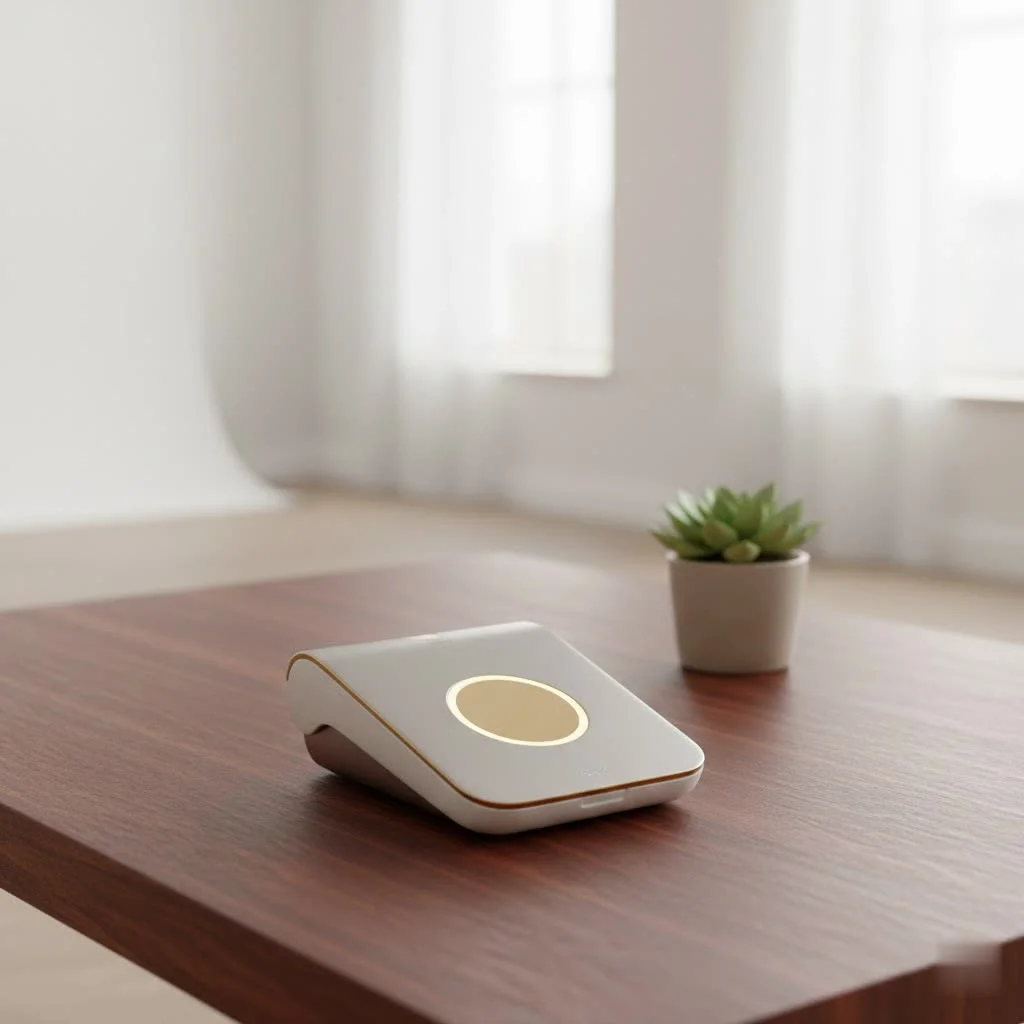
As a seasoned expert in card reader technology and a content creator for Umaoc, I’ve witnessed the evolution of these tiny yet mighty devices firsthand. A Type C Micro SD card reader isn’t just another gadget; it’s an essential tool for anyone leveraging modern tech. It’s designed to read and write data to and from microscopic Micro SD cards, often referred to as TF (TransFlash) cards, and connect them seamlessly to any device equipped with a USB-C port – think modern laptops, tablets, and a growing number of smartphones. Gone are the days of fumbling with clunky adapters or waiting ages for files to transfer. This direct, high-speed connection makes managing your digital life smoother and more efficient than ever before.
Why Every Modern Device User Needs One
The shift to USB-C isn’t just about aesthetics; it’s about performance and universality. A Type C Micro SD card reader capitalizes on these advancements, bringing a host of benefits that make it an indispensable accessory.
Blazing Fast Data Transfer
One of the most compelling reasons to embrace a Type C Micro SD card reader is its speed. Unlike older USB 2.0 readers, which are capped at a theoretical maximum of 480 Mbps (around 35 MB/s), modern Type C readers often utilize USB 3.0, 3.1, or even 3.2 standards. This translates to significantly faster data transfer rates, ranging from 5 Gbps (USB 3.0/3.1 Gen 1) to 10 Gbps (USB 3.1 Gen 2 / USB 3.2 Gen 2).
What does this mean for you? Imagine transferring gigabytes of 4K video or hundreds of high-resolution photos in mere seconds, not minutes. This speed is crucial for photographers, videographers, and anyone dealing with large files, dramatically cutting down workflow times and freeing you up to focus on creativity. The actual speed you experience will also depend on your Micro SD card’s speed class (e.g., UHS-I or UHS-II), but a high-speed Type C reader ensures you’re never bottlenecked by the reader itself.
Universal Compatibility Across Your Ecosystem
|
Our Picks for the Best Card Reader in 2026
As an Amazon Associate I earn from qualifying purchases.
|
||
| Num | Product | Action |
|---|---|---|
| 1 | USB C SD Card Reader for iPhone 15/16/17/Mac/iPad,Dual Card Slot Memory Card Reader Supports SD and TF Card Trail Camera Viewer SD Card Adapter Portable Micro SD Card Reader No App Plug and Play |

|
| 2 | Anker USB C Hub (7-in-1), with 4K HDMI, 85W Power Delivery, USB-C and 2 USB-A 5Gbps Data Ports, microSD and SD Card Reader, for MacBook Air, MacBook Pro, XPS, and More |
|
| 3 | SmartQ C368 USB 3.0 Card Reader - Plug & Play, Compatible with Apple & Windows, Supports SD, Micro SD, MS, CF Cards |
|
| 4 | Memory Card Reader, BENFEI 4in1 USB 3.0 and USB-C to SD Micro SD MS CF Card Reader Adapter, 4 Cards Simultaneously Read and Write, Compatible with iPhone 15 Series, MacBook Pro/Air 2023, and More |
|
| 5 | SAICOO Smart Card Reader DOD Military USB Common Access CAC Card Reader, Compatible with Mac OS, Win (Horizontal Version) |
|
| 6 | UGREEN SD Card Reader USB C, USB 3.0 Micro SD Card Reader 2 in 1 Memory Card Reader for MicroSD SDHC SDXC Compatible with PC Computer MacBook Laptop iPad iPhone 17 16 15 Pro/Pro Max |
|
| 7 | USB3.0 Micro SD Card Reader, 5Gbps 2-in-1 SD Card Reader to USB Adapter, Wansurs Memory Card Reader for SDXC, SDHC, MMC, RS-MMC, Micro SDXC, Micro SD, Micro SDHC and UHS-I Cards (1Pack Black) |
|
| 8 | SD Card Reader for iPhone, Memory Card Reader with USB Camera Adapter Plug and Play Trail Game Camera Viewer Supports SD and TF Card MicroSD Card Adapter for iPad No App Required |
|
| 9 | UGREEN SD Card Reader USB 3.0 Card Hub Adapter 5Gbps Read 4 Cards Simultaneously CF, CFI, TF, SDXC, SDHC, SD, MMC, Micro SDXC, Micro SD, Micro SDHC, MS, UHS-I (Black) |
|
| 10 | USB C USB3.0 Multi Card Reader for SD, CF, Micro SD, XD, MS Cards - 7 in 1 Adapter Hub for Windows, Mac, Linux, Android |
|
The beauty of USB-C lies in its universal design. A Type C Micro SD card reader works harmoniously with a vast array of devices. Whether you’re using a MacBook, a Windows laptop, an Android smartphone, an iPad Pro, or even a Linux-based system, if it has a USB-C port, this reader has you covered. This cross-platform compatibility eliminates the need for multiple, device-specific card readers, simplifying your tech setup and ensuring you can always access your data, no matter which device you’re on.
Ultimate Portability for On-the-Go Lifestyles
Many Type C Micro SD card readers boast ultra-compact and lightweight designs. Some are barely larger than the Micro SD card itself, while others integrate into small, durable casings, often with a handy keychain loop. This unparalleled portability makes them perfect companions for travelers, commuters, and anyone who needs to manage files away from a desk. Slip it into your pocket, attach it to your keys, or toss it into your camera bag – your data is always accessible, wherever your adventures take you.
Effortless Plug-and-Play Experience
Forget about frustrating driver installations or complex software. Most Type C Micro SD card readers are designed for true plug-and-play functionality. Simply insert your Micro SD card, plug the reader into your device’s USB-C port, and your operating system will typically recognize it instantly as an external drive. Many also support USB On-The-Go (OTG) technology, allowing you to connect directly to compatible smartphones and tablets for direct file browsing and transfer without needing a computer in between.
Seamless Storage Expansion and File Management
For devices with limited internal storage, a Type C Micro SD card reader is a lifesaver. It allows you to quickly offload photos, videos, and documents from your phone or tablet to a Micro SD card, freeing up precious internal space. Conversely, you can easily transfer files from a Micro SD card onto your device, whether it’s for editing a project on your laptop or watching a movie on your tablet. It transforms how you manage your digital assets, offering flexibility and control.
Choosing the Right Type C Micro SD Card Reader: Key Considerations
With a plethora of options on the market, selecting the perfect Type C Micro SD card reader can feel daunting. Here’s what my 15+ years in the industry have taught me to look for:
Speed Matters: USB Version and Card Support
This is arguably the most critical factor. Ensure the reader supports at least USB 3.0 (also known as USB 3.1 Gen 1 or USB 3.2 Gen 1) for speeds up to 5 Gbps. For professionals or those using the fastest UHS-II Micro SD cards, look for readers that explicitly support USB 3.1 Gen 2 or USB 3.2 Gen 2, offering up to 10 Gbps. Remember, the reader and the card must both support high speeds to achieve optimal performance; a fast reader won’t make a slow card faster. Some readers even feature an LED indicator to show when data is being read or written, a small but helpful detail.
Card Type Compatibility
While the focus is on Micro SD, many Type C card readers are multi-slot devices, also accommodating full-size SD cards, and sometimes even CompactFlash (CF) cards or other formats. Consider your entire ecosystem of cameras and devices. If you only use Micro SD, a single-slot, ultra-compact reader might be ideal. If you work with multiple card types, a versatile multi-slot reader will be more beneficial.
Build Quality and Durability
A card reader that travels with you needs to be robust. Look for models constructed from durable materials like aluminum alloy or zinc alloy. These not only withstand daily wear and tear but also aid in heat dissipation, which is important during large file transfers to maintain consistent speeds and prolong the reader’s lifespan. Avoid flimsy plastic readers if heavy use is anticipated.
Form Factor and Design
Type C Micro SD card readers come in various designs: direct plug-in dongles, models with short integrated cables, or hub-like devices. Direct plug-in models are incredibly compact but might block adjacent ports on some devices. Those with a short cable offer more flexibility in port usage. Consider what best fits your device setup and portability needs.
OTG Support for Mobile Devices
If you frequently transfer files between your Micro SD card and your smartphone or tablet without a computer, ensure the Type C Micro SD card reader explicitly states OTG (On-The-Go) support. This feature allows your mobile device to act as the host, directly interacting with the card reader.
How to Seamlessly Use Your Type C Micro SD Card Reader
Using a Type C Micro SD card reader is typically straightforward, but a few best practices can ensure smooth operation and data integrity:
- Insert Your Micro SD Card: Gently slide your Micro SD card into the designated slot on the reader until it clicks into place. Ensure it’s oriented correctly. For multi-slot readers, confirm you’re using the Micro SD slot, often labeled “TF.”
- Connect to Your Device: Plug the USB-C connector of the card reader firmly into an available USB-C port on your laptop, tablet, or smartphone.
- Access Files: Your device should automatically recognize the reader as an external storage device. On Windows, it will appear under “This PC”; on macOS, in “Finder”; and on Android, within your file manager app.
- Transfer Data: Drag and drop files, or use copy/paste functions, to move data between your device and the Micro SD card.
- Safely Eject: This is crucial! Before physically removing the card reader, always safely eject it from your operating system (e.g., “Safely Remove Hardware” on Windows, “Eject” on macOS, or “Unmount” on Android). This prevents data corruption.
Tips for Optimal Performance and Longevity
- Match Card Speed to Reader: To get the most out of your high-speed Type C Micro SD card reader, pair it with a Micro SD card that has a high-speed rating (e.g., UHS Speed Class 3 or Video Speed Class V30, V60, V90).
- Keep it Clean: Dust and debris can accumulate in the slots. Periodically clean your reader with compressed air to maintain good contact.
- Avoid Physical Stress: While durable, avoid bending, dropping, or applying excessive force to the reader or the inserted card.
Real-World Applications
The versatility of the Type C Micro SD card reader makes it invaluable across various scenarios:
- Photographers and Videographers: Quickly offload high-volume photos and 4K videos from cameras (via Micro SD) to laptops or tablets for editing and backup, even on location.
- Smartphone and Tablet Users: Easily transfer media, documents, and large app files, expand device storage for more content, or share files with others without cloud services.
- Drone Enthusiasts: Retrieve aerial footage from your drone’s Micro SD card for instant viewing or editing on a laptop or tablet.
- Dash Cam Owners: Review important footage from your dash cam’s Micro SD card on any USB-C device.
- Gamers: Manage game saves or expand storage for handheld consoles that use Micro SD cards.
As Dr. Evelyn Reed, a leading expert in portable storage solutions, often says, “In an ecosystem increasingly defined by USB-C, a reliable Type C Micro SD card reader isn’t just an accessory; it’s the fundamental bridge ensuring your data keeps flowing freely and efficiently across all your devices. It empowers users to maximize their tech without being held back by connectivity limitations.”
Frequently Asked Questions (FAQ)
Are all Type C Micro SD card readers equally fast?
No, their speeds vary significantly based on the underlying USB standard they support (e.g., USB 3.0, USB 3.1 Gen 2, etc.) and the quality of their internal components. Always check the specifications for transfer speeds (Gbps or MB/s) to match your needs and your Micro SD card’s capabilities.
Can I use a Type C card reader with a non-USB-C port?
While a Type C Micro SD card reader is designed for USB-C ports, you can use a USB-C to USB-A adapter if your device only has USB-A ports. However, your transfer speeds will be limited by the slower USB-A port’s standard (e.g., USB 2.0 or USB 3.0), and you won’t get the full benefit of the Type C reader’s potential speed.
Do I need to install drivers for a Type C Micro SD card reader?
Generally, no. Most modern Type C Micro SD card readers are plug-and-play devices and are automatically recognized by operating systems like Windows, macOS, Linux, and Android, without the need for additional drivers.
What’s the difference between a Micro SD and a full-size SD card reader?
A Micro SD card reader is specifically designed for the smaller Micro SD (also known as TF) card format. A full-size SD card reader is for the larger standard SD card format. Many card readers are “multi-slot” and support both Micro SD and full-size SD cards, as well as other formats.
How do I safely remove the Type C Micro SD card reader from my device?
Always safely eject or unmount the card reader from your operating system before physically disconnecting it. This ensures that any ongoing data transfers are completed and the file system is properly dismounted, preventing data corruption or loss.
The Umaoc Advantage: Empowering Your Digital Journey
The Type C Micro SD card reader has become an indispensable tool in our interconnected world, offering a potent blend of speed, versatility, and convenience. It simplifies file management, expands storage possibilities, and ensures that your valuable data is always within reach, no matter your device or location.
At Umaoc, we are dedicated to providing you with the insights and expertise needed to make informed decisions about your tech. We believe that understanding the nuances of devices like the Type C Micro SD card reader empowers you to leverage technology to its fullest, optimizing your workflows and enhancing your digital life. Embrace the power of seamless connectivity and take control of your data with the right tools, confidence, and knowledge. Explore the possibilities, and experience the Umaoc difference today!
Get our weekly buyer guide
Practical specs, not advice. Unsubscribe anytime.