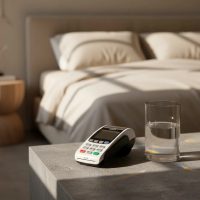
In today’s fast-paced business environment, the ability to accept payments anytime, anywhere isn’t just a luxury—it’s a necessity. From bustling farmers’ markets and pop-up shops to on-site service calls and food trucks, businesses are constantly on the move. This is where the mobile card reader steps in, transforming how transactions are processed and empowering entrepreneurs to capture every sale. As your dedicated expert from Umaoc.com, I’m here to demystify these compact powerhouses, ensuring you’re equipped to make informed decisions for your business.

What Exactly is a Mobile Card Reader?
At its core, a mobile card reader is a portable device that enables businesses to process credit and debit card payments away from a traditional fixed point-of-sale (POS) system. Think of it as your entire payment terminal, condensed into a pocket-sized form factor that pairs seamlessly with your smartphone or tablet, or even works as a standalone unit. Unlike bulky countertop machines, these readers are designed for flexibility and convenience, letting you take your checkout process directly to your customer. They’re a game-changer for anyone who needs to process payments on the go, making those once-missed sales a thing of the past. For expert reviews reviews on this site.
The Magic Behind the Tap: How Mobile Card Readers Work
The operational wizardry of a mobile card reader lies in its ability to securely capture payment data and transmit it for authorization. Most modern readers connect wirelessly, either via Bluetooth to a paired smartphone/tablet or through built-in cellular (4G/GPRS) or Wi-Fi connectivity.
When a customer is ready to pay, they can interact with the reader in several ways:
- EMV Chip: The customer inserts their chip-enabled card into a slot on the reader. The embedded chip communicates with the device, initiating a highly secure, encrypted transaction.
- NFC/Contactless: For swift “tap-to-pay” transactions, customers simply hold their card, smartphone (using Apple Pay, Google Pay, etc.), or smartwatch near the reader. Near Field Communication (NFC) technology allows for a quick and secure data exchange without physical contact.
- Magnetic Stripe (Magstripe): Although less secure and becoming less common, some readers still support swiping a card through a magnetic stripe reader. However, merchants bear more liability for fraud with these transactions.
Once the card data is captured, the mobile card reader encrypts it and sends it over its network connection to the payment processor. The processor then communicates with the card-issuing bank for authorization. If approved, the transaction is settled, and both you and your customer receive a confirmation—often in the form of a digital receipt sent via email or SMS, though some standalone units also print physical receipts. This entire process typically takes mere seconds, ensuring a smooth customer experience.
Why Your Business Needs a Mobile Card Reader: Unlocking Key Benefits
Integrating a mobile card reader into your business operations offers a multitude of advantages that go beyond simply accepting plastic.
Increased Sales & Customer Convenience
|
Our Picks for the Best Card Reader in 2026
As an Amazon Associate I earn from qualifying purchases.
|
||
| Num | Product | Action |
|---|---|---|
| 1 | Anker USB C Hub (7-in-1), with 4K HDMI, 85W Power Delivery, USB-C and 2 USB-A 5Gbps Data Ports, microSD and SD Card Reader, for MacBook Air, MacBook Pro, XPS, and More |

|
| 2 | SmartQ C368 USB 3.0 Card Reader - Plug & Play, Compatible with Apple & Windows, Supports SD, Micro SD, MS, CF Cards |
|
| 3 | UGREEN SD Card Reader USB C, USB 3.0 Micro SD Card Reader 2 in 1 Memory Card Reader for MicroSD SDHC SDXC Compatible with PC Computer MacBook Laptop iPad iPhone 17 16 15 Pro/Pro Max |
|
| 4 | USB C USB3.0 Multi Card Reader for SD, CF, Micro SD, XD, MS Cards - 7 in 1 Adapter Hub for Windows, Mac, Linux, Android |
|
| 5 | SD Card Reader for iPhone, Memory Card Reader with USB Camera Adapter Plug and Play Trail Game Camera Viewer Supports SD and TF Card MicroSD Card Adapter for iPad No App Required |
|
| 6 | USB3.0 Micro SD Card Reader, 5Gbps 2-in-1 SD Card Reader to USB Adapter, Wansurs Memory Card Reader for SDXC, SDHC, MMC, RS-MMC, Micro SDXC, Micro SD, Micro SDHC and UHS-I Cards (1Pack Black) |
|
| 7 | USB C SD Card Reader for iPhone 15/16/17/Mac/iPad,Dual Card Slot Memory Card Reader Supports SD and TF Card Trail Camera Viewer SD Card Adapter Portable Micro SD Card Reader No App Plug and Play |
|
| 8 | Memory Card Reader, BENFEI 4in1 USB 3.0 and USB-C to SD Micro SD MS CF Card Reader Adapter, 4 Cards Simultaneously Read and Write, Compatible with iPhone 15 Series, MacBook Pro/Air 2023, and More |
|
| 9 | SAICOO Smart Card Reader DOD Military USB Common Access CAC Card Reader, Compatible with Mac OS, Win (Horizontal Version) |
|
| 10 | UGREEN SD Card Reader USB 3.0 Card Hub Adapter 5Gbps Read 4 Cards Simultaneously CF, CFI, TF, SDXC, SDHC, SD, MMC, Micro SDXC, Micro SD, Micro SDHC, MS, UHS-I (Black) |
|
In an increasingly cashless society, customers expect diverse payment options. By accepting card payments wherever you are, you eliminate barriers to purchase, appealing to a broader customer base and reducing instances of abandoned sales. The convenience of “tap-to-pay” makes transactions faster and more appealing.
Enhanced Mobility & Flexibility
This is arguably the most significant benefit. Whether you’re a plumber charging on-site, a boutique owner at a craft fair, or a café serving customers on a busy patio, a mobile card reader frees you from the confines of a physical register. This unparalleled mobility allows you to expand your reach and serve customers wherever they are.
Improved Cash Flow & Efficiency
Electronic payments are typically processed and deposited much faster than waiting for checks or cash payments. This improves your business’s cash flow. Furthermore, mobile readers often integrate with POS apps, helping you track sales, manage inventory, and streamline your entire business workflow, significantly reducing human error associated with manual entry.
Professional Image & Trust
Offering modern payment methods like contactless and EMV chip shows your customers that you’re a forward-thinking, trustworthy business. It projects a professional image, instilling confidence in your customers and encouraging repeat business.
Cost-Effectiveness
Compared to traditional, often expensive, countertop POS systems with monthly leases and hidden fees, many mobile card reader solutions come with lower upfront costs and transparent, per-transaction fee structures, making them an attractive option for small businesses and startups.
Exploring the Landscape: Types of Mobile Card Readers
The market for mobile card readers has diversified, offering solutions to fit various business needs and budgets. Understanding the different types helps you pick the right tool for your specific workflow.
Audio Jack/Bluetooth Readers
These are often the most entry-level and popular options, typically connecting to your smartphone or tablet via Bluetooth or, less commonly, through the audio jack. They rely on your mobile device for their internet connection and screen interface. Examples include basic Square Readers or PayPal Zettle devices. They are highly portable and cost-effective, ideal for individual sellers or businesses with lower transaction volumes.
Standalone Mobile POS Terminals
These are all-in-one devices that resemble traditional payment terminals but are designed for portability. They come with their own screens, keypads, and often a built-in printer, running on their own operating system and connecting via Wi-Fi or cellular data (SIM card). They don’t require a separate smartphone or tablet and are suitable for businesses needing more robust features, higher transaction volumes, or a dedicated device. The Square Terminal or Clover Flex are good examples.
Tap-to-Pay on Phone (Software-Only Solutions)
An emerging and increasingly popular option, this technology allows you to accept contactless payments directly on your NFC-enabled smartphone, without any additional hardware. Apps like Apple Tap to Pay on iPhone turn your phone into a mobile card reader. This is an excellent, low-cost solution for entrepreneurs or businesses with very occasional mobile sales, offering ultimate portability and minimal investment.
It’s crucial to remember that regardless of the type, always prioritize readers that support EMV chip and NFC contactless payments over older magnetic stripe-only readers due to enhanced security.
Fortifying Your Transactions: Security and PCI Compliance
In the realm of payment processing, security is paramount. A mobile card reader isn’t just about convenience; it’s about protecting sensitive customer data.
EMV and NFC: The Foundation of Modern Security
Modern mobile readers predominantly utilize EMV chip and NFC technologies, which are inherently more secure than magnetic stripe cards. EMV chips generate unique, encrypted transaction codes for each purchase, making it extremely difficult for fraudsters to clone cards or replicate transactions. Similarly, NFC contactless payments leverage encryption to secure data during the brief exchange.
Encryption & Tokenization Explained
When you process a payment with a mobile card reader, two key security technologies are at play:
- Encryption: This scrambles the card data the moment it’s captured (point-to-point encryption or P2PE), rendering it unreadable to unauthorized parties during transmission.
- Tokenization: This replaces sensitive card details with a unique, randomly generated “token” that holds no intrinsic value. If a data breach occurs, hackers only get meaningless tokens, not actual card numbers.
The Role of PCI DSS (v4.0) and Your Responsibility
The Payment Card Industry Data Security Standard (PCI DSS) is a set of global security standards mandated by the major card brands. All businesses that process, store, or transmit cardholder data, including those using mobile card readers, must comply. The latest version, PCI DSS v4.0, emphasizes more robust security controls and continuous monitoring. Compliance isn’t optional; non-compliance can lead to hefty fines and reputational damage. Your payment processor should handle much of the heavy lifting regarding PCI compliance for their systems, but it’s your responsibility to use compliant hardware and follow secure practices.
Best Practices for Secure Mobile Payments
“Beyond the technology itself, human practices are critical,” advises David Chen, Chief Security Architect at Umaoc. “Always use strong, unique passwords for your payment apps, enable multi-factor authentication, and never process payments over unsecured public Wi-Fi networks.” Secure network connections, mobile device management (MDM) solutions for multiple devices, and regular security updates are also vital for maintaining a robust security posture.
Choosing Your Perfect Partner: Key Factors When Selecting a Mobile Card Reader
Selecting the right mobile card reader for your business involves more than just picking the cheapest option. It’s about finding a solution that aligns with your operational needs, budget, and growth aspirations.
Compatibility
Ensure the reader is compatible with your existing devices. Most readers support both iOS and Android smartphones and tablets, but it’s always wise to double-check. Some may also support other operating systems.
Supported Payment Types
Prioritize readers that accept EMV chip and NFC contactless payments (Apple Pay, Google Pay). While magnetic stripe support might seem useful, its declining security makes it less desirable. The more payment methods supported, the more customers you can serve.
Transaction Fees & Pricing Models
This is a critical consideration. Mobile card reader providers typically offer two main pricing structures:
- Flat-Rate Pricing: A fixed percentage plus a small per-transaction fee (e.g., 2.6% + $0.10). This is predictable and often preferred by small businesses with varying transaction volumes.
- Interchange-Plus Pricing: The interchange fee (paid to the issuing bank) plus a small markup from the processor. This can be cheaper for high-volume businesses but is more complex to understand.
Always inquire about all potential fees, including setup fees, monthly fees, PCI compliance fees, and chargeback fees.
Connectivity & Battery Life
Consider how the reader connects (Bluetooth, Wi-Fi, cellular) and ensure it meets your mobility needs. For businesses on the go, a strong, reliable connection is crucial. Also, evaluate battery life; a good mobile card reader should last through a full day of transactions without needing a recharge.
Integration with Business Systems
The best mobile readers integrate seamlessly with popular point-of-sale (POS) software, inventory management, and accounting systems. This allows for unified reporting, streamlined operations, and a comprehensive view of your business performance.
Customer Support & Reliability
Look for a provider known for reliable hardware and excellent customer support. When your payment system goes down, you need quick and effective help to minimize disruption to your sales.
Umaoc’s Top Tips for Maximizing Your Mobile Card Reader’s Potential
As experts in the field, we at Umaoc want to ensure you get the most out of your mobile card reader.
- Keep it Charged: A dead battery means lost sales. Always ensure your reader is fully charged before a busy day. Many come with portable charging options.
- Maintain a Clean Device: Regularly clean the chip slot and card swipe area to prevent read errors and ensure smooth transactions.
- Update Software Regularly: Keep your payment app and reader firmware updated. Updates often include security enhancements and new features.
- Practice Offline Mode (if available): Some readers offer an “offline mode” to queue transactions when connectivity is spotty, processing them once you regain a signal. Understand how this works and any associated risks or limitations.
- Train Your Team: Ensure all staff members are proficient in using the mobile card reader, handling different payment types, and troubleshooting minor issues.
- Leverage Digital Receipts: Encourage customers to receive digital receipts via email or SMS. This is eco-friendly and allows you to build customer lists for marketing.
- Understand Your Analytics: Most payment platforms offer detailed sales analytics. Utilize these insights to track trends, manage inventory, and make informed business decisions.
Frequently Asked Questions (FAQ)
Are mobile card readers secure?
Yes, modern mobile card readers are designed with robust security features. They use EMV chip technology, NFC contactless payment protocols, point-to-point encryption (P2PE), and tokenization to protect cardholder data, making them a very secure way to accept payments. They also adhere to PCI DSS compliance standards.
What’s the difference between a mobile and a portable card reader?
The terms are often used interchangeably, but “mobile card reader” typically refers to devices that can operate anywhere using cellular data or by pairing with a mobile phone. “Portable card reader” might sometimes refer to devices that are easily moved but still rely on Wi-Fi within a limited range (e.g., within a restaurant).
Can I use any mobile card reader with my phone?
No, mobile card readers are usually specific to certain payment processors or come with their own dedicated apps. You’ll need to choose a reader that is compatible with your chosen payment processing service and your smartphone’s operating system (iOS or Android).
What are typical transaction fees for mobile card readers?
Transaction fees vary by provider and pricing model, but they typically range from 1.5% to 3.5% of the transaction amount, often with a small fixed fee per transaction (e.g., $0.10 – $0.30). Some providers offer flat rates, while others use an interchange-plus model.
Do I need Wi-Fi for a mobile card reader?
Not necessarily. While many mobile card readers can connect via Wi-Fi, many also come with built-in cellular connectivity (via a SIM card) or connect via Bluetooth to your smartphone, which then uses its cellular data. This ensures you can accept payments in locations without Wi-Fi.
How long do mobile card reader batteries last?
Battery life varies significantly between models. Smaller, simpler Bluetooth readers might last a full day or more on a single charge, while more feature-rich standalone mobile POS terminals might have slightly shorter battery lives, often lasting 8-12 hours of continuous use. Always check the manufacturer’s specifications.
Conclusion
The mobile card reader is more than just a payment device; it’s an enabler of business growth, flexibility, and customer satisfaction in the modern economy. By understanding its functions, appreciating its security mechanisms, and thoughtfully choosing the right solution for your needs, you can unlock unparalleled convenience and efficiency. Embrace the power of mobile payments and confidently navigate the dynamic landscape of modern commerce. At Umaoc, we believe that informed choices lead to empowered businesses, and we’re committed to being your trusted resource every step of the way.
Get our weekly buyer guide
Practical specs, not advice. Unsubscribe anytime.