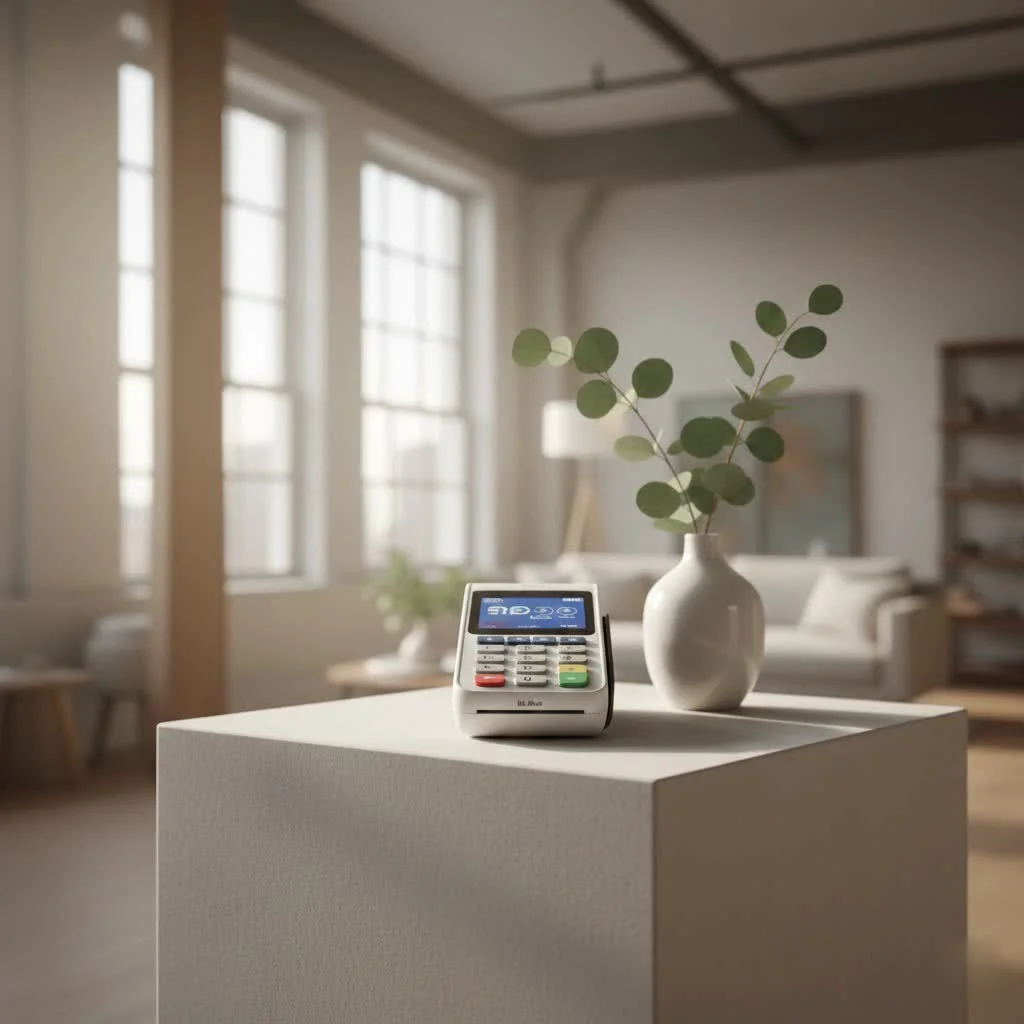
The Square card reader is a portable device that enables businesses to accept credit and debit cards, as well as contactless payments like Apple Pay and Google Pay, directly from a smartphone or tablet. It integrates with the free Square Point of Sale app, transforming a mobile device into a complete payment processing system. This allows entrepreneurs, small business owners, and mobile vendors to handle transactions efficiently and securely, ensuring they never miss a sale.
What Exactly is a Square Card Reader?
At its core, a Square card reader is a portable device designed to facilitate electronic payments. It bridges the gap between your customer’s payment method and your bank account, all managed through Square’s robust point-of-sale (POS) ecosystem. Gone are the days of cash-only transactions or bulky, expensive terminals. The evolution of the Square card reader has put sophisticated payment acceptance into the palm of your hand, making it a major upgrade for anyone from artisans at a craft fair to food truck operators and local service providers. It’s about ensuring you never miss a sale, no matter where your business takes you. For browse all reviews articles on this site.
Diving Deep into Square Card Reader Models
Square offers a range of card readers, each tailored to specific business needs, but two models truly stand out for their versatility and widespread adoption.
The Go-To: Square Reader for Contactless and Chip (2nd Gen)
This is the flagship Square card reader for modern payment methods. It’s a sleek, pocket-sized device that connects wirelessly to your iOS or Android smartphone or tablet via Bluetooth LE. The beauty of this reader lies in its comprehensive payment acceptance:
- EMV Chip Cards: Customers can “dip” their chip cards into the reader for secure, encrypted transactions.
- Contactless (NFC) Payments: A simple tap is all it takes for Apple Pay, Google Pay, and other NFC-enabled cards or devices. This is incredibly fast and convenient, enhancing the customer experience.
- Seamless Integration: It works hand-in-hand with the free Square Point of Sale app, transforming your mobile device into a full-fledged cash register complete with inventory management, sales reports, and tipping options.
- Enhanced Battery Life: The 2nd generation boasts an improved battery, allowing for more transactions on a single charge, ensuring you can power through a busy day without interruption.
The Classic: Square Reader for Magstripe
While chip and contactless payments are now the standard, the original Square Reader for magstripe still holds its place. This small, square-shaped reader plugs directly into your device’s headphone jack (or via USB-C/Lightning for newer devices) and is designed solely for “swiping” traditional magnetic stripe cards.
- Cost-Effective Entry: Often offered for free as a starter, it provides an incredibly low barrier to entry for businesses just beginning to accept card payments.
- Basic Functionality: It’s straightforward and perfect for businesses with very basic needs or as a backup.
- Key Distinction: It’s crucial to that this reader does not accept chip or contactless payments, which are more secure and increasingly preferred by consumers. For comprehensive payment acceptance, the contactless and chip reader is essential.
How Does the Square Card Reader Work Its Magic?
Understanding the simple mechanics behind the Square card reader demystifies its powerful capabilities.
- Connecting Your Device: The contactless and chip reader pairs effortlessly with your smartphone or tablet via Bluetooth LE. Once paired, it generally stays connected, ready for your next sale. The magstripe reader, on the other hand, plugs directly into your device’s port.
- The Square Point of Sale App: This free application is the brains of the operation. It’s where you input item prices, apply discounts, manage your inventory, and ultimately initiate the payment process.
- Processing a Transaction:
- Tap: For contactless payments, your customer simply holds their card or mobile device near the reader.
- Dip: For EMV chip cards, the customer inserts their card into the reader and leaves it there until the transaction is complete.
- Swipe: With the magstripe reader, the customer quickly swipes their card through the designated slot.
- Internet Connection & Offline Payments: While an internet connection (Wi-Fi or cellular data from your paired device) is usually required to process transactions in real-time, Square understands that connectivity isn’t always perfect. The contactless and chip reader offers an invaluable “offline payments” feature, allowing you to accept payments even without an internet connection for up to 24 hours. These transactions are then processed automatically once you regain connectivity, ensuring your business never grinds to a halt.
Unlocking the Benefits: Why Your Business Needs a Square Card Reader
Integrating a Square card reader into your business operations offers a multitude of advantages that go beyond simply accepting cards.
Versatile Payment Acceptance
|
Our Picks for the Best Card Reader in 2026
As an Amazon Associate I earn from qualifying purchases.
|
||
| Num | Product | Action |
|---|---|---|
| 1 | USB3.0 Micro SD Card Reader, 5Gbps 2-in-1 SD Card Reader to USB Adapter, Wansurs Memory Card Reader for SDXC, SDHC, MMC, RS-MMC, Micro SDXC, Micro SD, Micro SDHC and UHS-I Cards (1Pack Black) |

|
| 2 | UGREEN SD Card Reader USB 3.0 Card Hub Adapter 5Gbps Read 4 Cards Simultaneously CF, CFI, TF, SDXC, SDHC, SD, MMC, Micro SDXC, Micro SD, Micro SDHC, MS, UHS-I (Black) |
|
| 3 | SAICOO Smart Card Reader DOD Military USB Common Access CAC Card Reader, Compatible with Mac OS, Win (Horizontal Version) |
|
| 4 | Anker USB C Hub (7-in-1), with 4K HDMI, 85W Power Delivery, USB-C and 2 USB-A 5Gbps Data Ports, microSD and SD Card Reader, for MacBook Air, MacBook Pro, XPS, and More |
|
| 5 | UGREEN SD Card Reader USB C, USB 3.0 Micro SD Card Reader 2 in 1 Memory Card Reader for MicroSD SDHC SDXC Compatible with PC Computer MacBook Laptop iPad iPhone 17 16 15 Pro/Pro Max |
|
| 6 | Memory Card Reader, BENFEI 4in1 USB 3.0 and USB-C to SD Micro SD MS CF Card Reader Adapter, 4 Cards Simultaneously Read and Write, Compatible with iPhone 15 Series, MacBook Pro/Air 2023, and More |
|
| 7 | SmartQ C368 USB 3.0 Card Reader - Plug & Play, Compatible with Apple & Windows, Supports SD, Micro SD, MS, CF Cards |
|
| 8 | USB C SD Card Reader for iPhone 15/16/17/Mac/iPad,Dual Card Slot Memory Card Reader Supports SD and TF Card Trail Camera Viewer SD Card Adapter Portable Micro SD Card Reader No App Plug and Play |
|
| 9 | SD Card Reader for iPhone, Memory Card Reader with USB Camera Adapter Plug and Play Trail Game Camera Viewer Supports SD and TF Card MicroSD Card Adapter for iPad No App Required |
|
| 10 | USB C USB3.0 Multi Card Reader for SD, CF, Micro SD, XD, MS Cards - 7 in 1 Adapter Hub for Windows, Mac, Linux, Android |
|
In a world where customers expect flexibility, accepting every major credit and debit card, alongside popular contactless options like Apple Pay and Google Pay, is paramount. The Square reader ensures you cater to all preferences, minimizing lost sales due to limited payment options.
Simplicity and Portability
Whether you run a pop-up shop, offer home services, or manage a busy salon, the compact and wireless design of the contactless and chip Square card reader means you can take payments anywhere. Its intuitive interface also means virtually no learning curve, allowing you and your staff to start processing transactions in minutes.
Robust Security
Security is a top priority for Square. Every transaction processed through the Square card reader is encrypted from start to finish, protecting both your business and your customers’ sensitive data. Square also provides 24/7 fraud prevention and assists with payment-dispute management, offering peace of mind.
Transparent Pricing
One of Square’s most attractive features is its straightforward pricing model. There are no monthly fees, no hidden costs, and no long-term contracts. You pay a simple, consistent transaction fee (e.g., around 2.6% + 15¢ for inserted or contactless payments) only when you make a sale. This predictability is a huge benefit for small businesses managing tight budgets.
Quick Access to Funds
For many businesses, cash flow is king. Square understands this, which is why funds from your sales are typically deposited into your bank account as soon as the next business day. This rapid access to your earnings helps keep your operations running smoothly.
Scalable Ecosystem
The Square card reader is just one piece of a much larger, integrated ecosystem. The free Square Point of Sale app allows you to manage inventory, track sales reports, handle employee permissions, and even send digital receipts. As your business grows, Square offers specialized software for restaurants, retail, and appointments, alongside tools like Square Online for building an e-commerce presence.
Setting Up Your Square Card Reader: A Step-by-Step Guide
Getting started with your Square card reader is remarkably simple.
- Order Your Reader: Head to Square’s website or a major electronics retailer to purchase the contactless and chip reader. your first magstripe reader might even be free!
- Download the Square POS App: Search for “Square Point of Sale” in your device’s app store (iOS or Android) and download it.
- Create Your Account: Open the app and follow the prompts to create your free Square account.
- Pair Your Device (Contactless/Chip Reader):
- Ensure your reader is charged.
- Open the Square POS app and navigate to Settings > Hardware > Card Readers.
- Select “Connect a Reader” and follow the on-screen instructions to pair your reader via Bluetooth.
- Start Selling! Once paired, you’re ready to start accepting payments. Input an item, tap “Charge,” and let your customer tap or dip their card.
“The Square card reader isn’t just a device; it’s an empowerment tool for small businesses. It levels the playing field, giving even the smallest vendors access to enterprise-grade payment processing with unbeatable ease and security,” explains Anya Sharma, a veteran payment technology consultant. “Its integration with the broader Square ecosystem means businesses can manage everything from sales to inventory from a single, intuitive platform.”
Frequently Asked Questions (FAQ)
Is the Square card reader really free?
Square often provides the basic magstripe card reader for free when you sign up, covering the cost of the hardware for new users. However, the more advanced Square Reader for contactless and chip (2nd Gen) typically involves a purchase price.
What are the transaction fees for a Square card reader?
Square charges a transparent transaction fee for each payment processed, rather than monthly fees. For most inserted chip or tapped contactless payments, the fee is around 2.6% + 15¢ per transaction. Swiped magstripe payments have a similar rate. It’s always best to check Square’s official website for the most current pricing.
Can I use the Square card reader without Wi-Fi?
Yes, the Square Reader for contactless and chip (2nd Gen) supports offline payments. This allows you to accept card payments even when your internet connection is down for up to 24 hours. Once your device reconnects to the internet, these queued transactions will automatically process. Note that certain restrictions and conditions apply to offline payments.
Which devices are compatible with the Square card reader?
Square card readers are compatible with most iOS and Android smartphones and tablets. The contactless and chip reader connects wirelessly via Bluetooth LE. The magstripe reader comes in versions that connect via a 3.5mm headset jack, USB-C, or Lightning port, depending on your device model.
How long does the Square card reader battery last?
The Square Reader for contactless and chip (2nd Gen) is designed with an improved battery that allows for significantly more transactions on a single charge compared to its predecessor. While exact battery life depends on usage, it’s built to last through a typical full day of business.
Your Business, Uninterrupted
The Square card reader represents more than just a piece of hardware; it’s a commitment to efficiency, security, and customer satisfaction. By offering diverse payment options, protecting your transactions, and integrating seamlessly with a powerful business management suite, it frees you to focus on what you do best: growing your business. Embrace the simplicity and power of the Square card reader, and empower your business to thrive in the modern economy. It’s time to stop missing sales and start enjoying a truly uninterrupted payment experience.
Frequently Asked Questions
Is the Square card reader available for free?
Square often provides the basic magstripe card reader for free to new users. However, the more advanced Square Reader for contactless and chip (2nd Gen) typically requires a purchase, offering enhanced features for modern payment methods.
What are the typical transaction fees for using a Square card reader?
Square charges a transparent transaction fee for each payment processed, without monthly fees. For most inserted chip or tapped contactless payments, the fee is approximately 2.6% + 15u00a2 per transaction. Swiped magstripe payments have a similar rate, but it's always best to check Squareu2019s official website for the most current pricing.
Can I process payments with a Square card reader if I don't have Wi-Fi?
Yes, the Square Reader for contactless and chip (2nd Gen) supports offline payments, allowing you to accept card payments even without an internet connection for up to 24 hours. Once your device reconnects to the internet, these queued transactions will automatically process, though certain restrictions apply.
Which mobile devices are compatible with Square card readers?
Square card readers are compatible with most iOS and Android smartphones and tablets. The contactless and chip reader connects wirelessly via Bluetooth LE, while magstripe readers connect via a 3.5mm headset jack, USB-C, or Lightning port, depending on the device model.
How long does the battery last on the Square card reader?
The Square Reader for contactless and chip (2nd Gen) features an improved battery designed to last through a typical full day of business, allowing for significantly more transactions on a single charge. Exact battery life can vary based on usage patterns.
Get our weekly buyer guide
Practical specs, not advice. Unsubscribe anytime.
I got the Square reader for my little online boutique’s in-person events. It works well for most transactions, but I found the battery life isn’t always as long as I’d hoped, especially on busy days. I have to remember to charge it constantly. Otherwise, it’s a solid device for accepting payments without a bulky terminal.
I’ve been using the Square reader for my small craft business for about six months now, and it’s been a game-changer. Setting it up with the free Square Point of Sale app was super easy, and I love how it handles both credit cards and contactless payments. It’s so convenient for pop-up markets and ensures I never miss a sale because someone doesn’t have cash.
This device has completely streamlined my payment process for my freelance photography gigs. The integration with my smartphone is seamless, and it’s so much easier than dealing with invoices after every shoot. It’s truly put sophisticated payment processing right in my pocket, just like the post mentioned.
The Square card reader is fantastic for my mobile detailing service. Being able to accept Apple Pay and Google Pay on the go is a huge plus, and it’s definitely more professional than asking for Venmo. My only minor complaint is that sometimes the connection can be a little finicky in areas with weak cell service, but it usually sorts itself out quickly.